
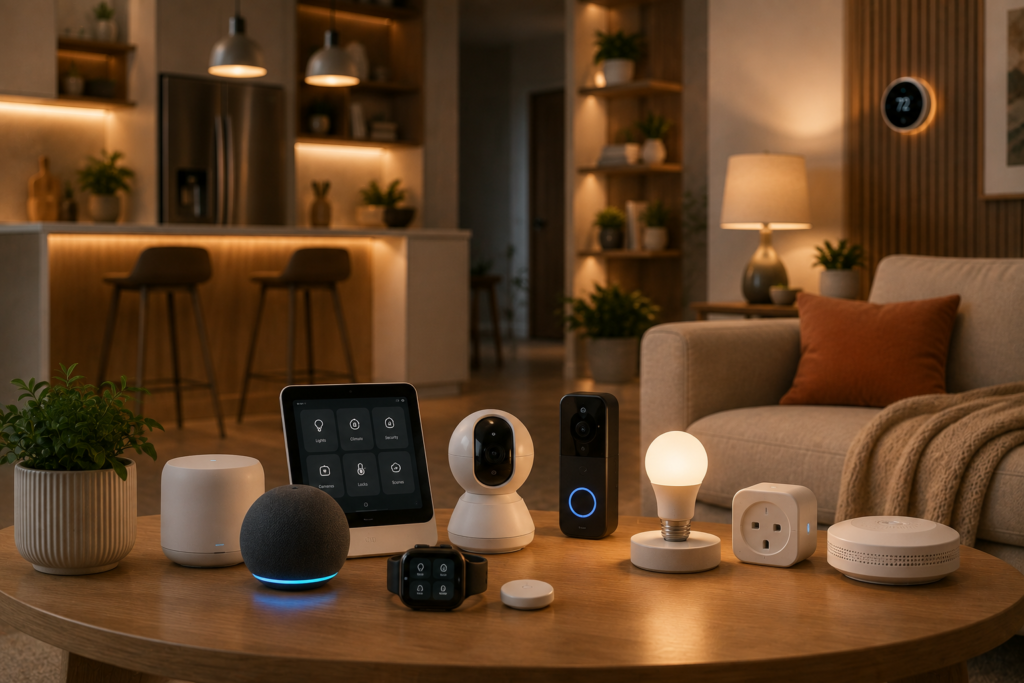
Smart-home technology sounds exciting—until you start looking at how many devices are available.
Smart bulbs. Smart plugs. Video doorbells. Security cameras. Smart locks. Sensors. Speakers. Displays. Thermostats. Robot vacuums. Kitchen appliances.
The list seems endless.
And that’s exactly why it’s easy to spend money on smart-home products that look impressive but don’t actually make your life easier.
The better approach is to ask a different question:
Which smart home devices are actually worth buying?
A worthwhile smart-home device should do more than connect to an app. It should solve a real problem, save you time, improve convenience, add useful functionality, or provide meaningful security benefits.
In this guide, we’re focusing on the smart home devices that offer practical value, along with the products that may not be worth prioritizing.
We’ll also explain what to look for before buying, how to avoid unnecessary subscriptions, and how to build a smart home that feels helpful rather than complicated.
What Makes a Smart Home Device Worth Buying?
Before looking at individual products, it’s important to understand what makes a smart device a good purchase.
We look for five things:
1. It Solves a Real Problem
The best smart devices remove an everyday inconvenience.
2. It Is Easy to Use
A device that takes an hour to manage every week isn’t particularly smart.
3. It Works Reliably
Automation is only useful when it happens when you expect it to.
4. It Offers Useful Features
A long feature list isn’t important if you never use those features.
5. It Provides Good Long-Term Value
Consider the purchase price, subscriptions, replacement costs, and compatibility with your existing setup.
1. Smart Bulbs — One of the Best Beginner Upgrades
Why They’re Worth Buying
Smart bulbs are one of the simplest ways to introduce automation into your home.
You can control compatible bulbs from your phone, create schedules, adjust brightness, and integrate them into routines.
Depending on the product, you may also be able to adjust color temperature or colors.
Best For
- Living rooms
- Bedrooms
- Home offices
- Entryways
- Accent lighting
Useful features
Look for:
- Dimmability
- Scheduling
- Good color temperature options
- Reliable connectivity
- Compatibility with your chosen platform
How to use them
Step 1: Replace one frequently used bulb.
Step 2: Connect it to the appropriate app.
Step 3: Give it a simple name.
Step 4: Create a schedule.
Step 5: Add it to a routine.
Verdict
Worth buying: ⭐⭐⭐⭐⭐
Smart bulbs are inexpensive compared with many smart-home products and can provide immediate everyday convenience.
2. Smart Plugs — Small Device, Big Convenience
Why They’re Worth Buying
A smart plug can give compatible ordinary appliances basic smart functionality.
Instead of replacing an appliance, you can potentially automate its power supply.
Great uses include:
- Lamps
- Decorative lights
- Certain fans
- Compatible appliances
Useful features
Look for:
- Scheduling
- Remote control
- Energy monitoring
- Voice control
- Compact design
Important Safety Note
Always check the smart plug’s electrical rating and the appliance manufacturer’s instructions before connecting an appliance.
Not every appliance is suitable for unattended or automated operation.
Verdict
Worth buying: ⭐⭐⭐⭐⭐
Smart plugs are particularly useful for beginners because they’re inexpensive and versatile.
3. Smart Video Doorbells — Worth It for Many Homes
Why They’re Worth Buying
A smart video doorbell can combine several useful functions:
- Doorbell
- Camera
- Motion detection
- Two-way audio
- Smartphone notifications
You can potentially see who’s at the door even when you’re not home.
Look for:
- Clear video
- Good night vision
- Reliable motion detection
- Two-way communication
- Useful privacy controls
- Appropriate storage options
Watch Out For
Some doorbells require a subscription for features such as cloud recording or advanced detection.
Always calculate the total cost over several years, not just the purchase price.
Verdict
Worth buying: ⭐⭐⭐⭐⭐
For many homeowners, a video doorbell is one of the most useful smart-security upgrades.
4. Smart Security Cameras — Worth It When You Need Coverage
Why They’re Worth Buying
Security cameras can give you visibility into important areas of your home.
But the key word is important.
You don’t need a camera in every room.
Consider cameras for:
- Front entrance
- Back entrance
- Garage
- Driveway
- Selected common areas
What to look for:
- Good image quality
- Night vision
- Motion detection
- Appropriate storage
- Privacy controls
- Reliable notifications
Privacy Matters
Don’t place cameras in private spaces.
Also review:
- Recording settings
- Cloud storage
- Account access
- Privacy zones
- Data retention
Verdict
Worth buying: ⭐⭐⭐⭐☆
Worthwhile when you have a clear reason for monitoring a particular area.
5. Smart Locks — Excellent for Convenience
Why They’re Worth Buying
Smart locks can make everyday access more convenient.
Depending on the model, you may be able to:
- Unlock with a code
- Use an app
- Create temporary access codes
- Monitor lock activity
- Lock the door remotely
- Automatically lock the door
They’re especially useful for:
- Families
- Frequent guests
- People who regularly share access
- Homes where key management is inconvenient
Before buying
Check compatibility with your existing door and lock.
Also look for a reliable backup method in case the battery is depleted or the electronic system isn’t available.
Verdict
Worth buying: ⭐⭐⭐⭐☆
A strong upgrade if convenient access is important to you.
6. Motion Sensors — Surprisingly Useful
Why They’re Worth Buying
Motion sensors can make other smart devices more useful.
For example:
Motion detected → Hallway light turns on.
Or:
No motion for several minutes → Light turns off.
Good locations
- Hallways
- Entryways
- Closets
- Bathrooms
- Laundry rooms
What to consider
- Detection range
- Sensitivity
- Battery life
- Response speed
- Compatibility
Verdict
Worth buying: ⭐⭐⭐⭐☆
They’re inexpensive compared with many smart-home devices and can unlock useful automations.
7. Smart Speakers — Worth It If You Use Voice Control
Why They’re Worth Buying
A smart speaker can act as a convenient control point for compatible devices.
You can potentially use voice commands to:
- Turn lights on or off
- Set timers
- Create routines
- Play music
- Control compatible devices
They’re particularly useful in:
- Kitchens
- Living rooms
- Bedrooms
But there’s a catch
You don’t need a smart speaker simply because you own smart devices.
If you prefer controlling everything from your phone, a speaker may not add enough value.
Verdict
Worth buying: ⭐⭐⭐⭐☆
Worth it if you genuinely like voice control or want a convenient smart-home controller.
8. Smart Thermostats — Potentially Worthwhile
Why They’re Worth Buying
A smart thermostat can offer features such as:
- Scheduling
- Remote control
- Temperature monitoring
- Automation
- Home/away settings
However, this category requires more consideration than a smart bulb.
Before buying
Check:
- Compatibility with your HVAC system
- Installation requirements
- Available features
- Energy-monitoring capabilities
- Local climate and usage patterns
Verdict
Worth buying: ⭐⭐⭐⭐☆
Potentially valuable, especially when your HVAC system is compatible and you can benefit from better scheduling and control.
9. Smart Smoke & Carbon Monoxide Detectors
Why They’re Worth Considering
Connected smoke and carbon monoxide detectors can provide additional alerts through compatible apps.
That can be useful when you’re away from home.
Important
Smart features should supplement—not replace—properly installed and functioning alarms.
Follow local requirements and the manufacturer’s instructions for installation, testing, maintenance, and replacement.
Verdict
Worth buying: ⭐⭐⭐⭐☆
A worthwhile consideration for homeowners who want connected safety alerts.
10. Smart Outdoor Lighting — Useful Security & Convenience Upgrade
Why They’re Worth Buying
Outdoor smart lighting can improve visibility around:
- Front doors
- Garages
- Walkways
- Patios
- Side entrances
Motion-triggered lighting can be particularly useful.
Look for:
- Weather resistance
- Good brightness
- Motion detection
- Appropriate detection range
- Reliable power
Verdict
Worth buying: ⭐⭐⭐⭐☆
A practical upgrade when you have dark outdoor areas that need better visibility.
Smart Home Devices That May NOT Be Worth Buying
Not every smart product deserves a place in your home.
Here are some categories worth approaching carefully.
Smart Devices You Rarely Use
If a device automates a task you perform once every few months, the convenience may not justify the cost.
Products With Expensive Subscriptions
A cheap device can become expensive over time if important features require a monthly fee.
Devices With Limited Compatibility
A product may look attractive today but become frustrating if it doesn’t work with your existing ecosystem.
Gimmicky Smart Appliances
Some appliances add connectivity without providing a meaningful improvement to how you use them.
Devices That Create More Complexity
If a product requires constant troubleshooting, it’s defeating the purpose of smart-home technology.
Our Smart Home Value Ranking
| Device | Convenience | Security | Automation | Overall Value |
|---|---|---|---|---|
| Smart Bulbs | ⭐⭐⭐⭐⭐ | ⭐⭐⭐ | ⭐⭐⭐⭐⭐ | ⭐⭐⭐⭐⭐ |
| Smart Plugs | ⭐⭐⭐⭐⭐ | ⭐⭐⭐ | ⭐⭐⭐⭐⭐ | ⭐⭐⭐⭐⭐ |
| Video Doorbell | ⭐⭐⭐⭐ | ⭐⭐⭐⭐⭐ | ⭐⭐⭐⭐ | ⭐⭐⭐⭐⭐ |
| Security Camera | ⭐⭐⭐⭐ | ⭐⭐⭐⭐⭐ | ⭐⭐⭐⭐ | ⭐⭐⭐⭐ |
| Smart Lock | ⭐⭐⭐⭐⭐ | ⭐⭐⭐⭐ | ⭐⭐⭐⭐ | ⭐⭐⭐⭐ |
| Motion Sensor | ⭐⭐⭐⭐ | ⭐⭐⭐⭐ | ⭐⭐⭐⭐⭐ | ⭐⭐⭐⭐ |
| Smart Speaker | ⭐⭐⭐⭐ | ⭐⭐ | ⭐⭐⭐⭐⭐ | ⭐⭐⭐⭐ |
| Smart Thermostat | ⭐⭐⭐⭐ | ⭐⭐ | ⭐⭐⭐⭐ | ⭐⭐⭐⭐ |
| Smart Smoke/CO Detector | ⭐⭐⭐ | ⭐⭐⭐⭐⭐ | ⭐⭐⭐ | ⭐⭐⭐⭐ |
| Smart Outdoor Lighting | ⭐⭐⭐⭐ | ⭐⭐⭐⭐ | ⭐⭐⭐⭐ | ⭐⭐⭐⭐ |
How to Build a Smart Home Without Overspending
You don’t need to buy ten products at once.
Instead, build your setup in stages.
Stage 1: Lighting
Start with one or two smart bulbs.
Stage 2: Automation
Add a smart plug and create simple routines.
Stage 3: Control
Add a compatible smart speaker if you want voice control.
Stage 4: Security
Consider a video doorbell, sensors, or cameras.
Stage 5: Advanced Comfort
Explore smart locks, thermostats, and other specialized devices.
This approach lets you learn what you actually use before spending more money.
How to Choose Smart Home Devices That Work Together
Compatibility is one of the most important factors in a smart-home purchase.
Before buying a product, check:
Your Smart-Home Platform
Does the device work with your preferred platform?
Connectivity
Does it use Wi-Fi, Bluetooth, or another wireless technology?
Hub Requirements
Does it need an additional hub?
Automation Support
Can it participate in the routines you want to create?
Long-Term Support
Does the manufacturer regularly update the device?
Subscription Requirements
Are important features locked behind a monthly or annual fee?
A device that works well with your existing setup is often a better purchase than a more advanced device that doesn’t integrate properly.
What Should You Buy First?
If you’re completely new to smart-home technology, here’s the order we’d recommend.
1. Smart Bulb
Start with lighting.
2. Smart Plug
Learn basic automation.
3. Smart Speaker
Add voice control if you want it.
4. Smart Doorbell
Improve entrance monitoring.
5. Motion Sensor
Create more advanced automations.
6. Smart Lock
Add convenient access control.
7. Security Camera
Expand monitoring where needed.
8. Other Devices
Add thermostats, outdoor lighting, and connected safety devices based on your actual needs.
You don’t need to follow this order exactly.
The right first purchase depends on what you want your home to do.
Smart Home Buying Checklist
Before clicking Buy, ask yourself:
Does this solve a real problem?
Will I use it regularly?
Does it work with my existing devices?
Does it require a subscription?
Does it need a hub?
How long will the manufacturer support it?
Can I still control it manually?
What happens if the internet goes down?
How does it handle my data?
If you can’t answer these questions, spend a little more time researching before buying.
Frequently Asked Questions
What smart home device should I buy first?
Smart bulbs and smart plugs are excellent starting points because they’re relatively affordable, easy to install, and useful for learning basic automation.
Are smart home devices really worth it?
The right devices can be. Products that automate repetitive tasks, improve security, or provide useful remote control tend to offer more value than devices that simply add connectivity.
What is the most useful smart home device?
There isn’t one universal answer. Smart bulbs and plugs are excellent for convenience, while video doorbells and security cameras can provide more value if home security is your priority.
Do smart home devices need Wi-Fi?
Many do, but not all. Some use Bluetooth, hubs, or other wireless technologies. Always check the manufacturer’s requirements.
Are smart home devices expensive?
They range from relatively inexpensive bulbs and plugs to more expensive security systems and smart appliances. You can build a useful setup gradually without buying everything at once.
Are smart devices safe?
They can be, but connected devices require good digital-security practices. Use strong passwords, enable two-factor authentication where available, keep software updated, and review privacy settings.
Do smart home devices save money?
Some may help you manage energy use or avoid unnecessary consumption, but savings aren’t guaranteed. Consider your actual usage and electricity costs.
Should I buy devices from one brand?
Not necessarily. However, choosing products that work with the same smart-home platform can make setup and automation easier.
Final Verdict
The best smart-home devices aren’t necessarily the newest or most expensive.
They’re the ones that earn their place in your daily routine.
Smart bulbs and smart plugs are excellent starting points because they provide useful automation without a major investment. Video doorbells, security cameras, and smart locks can add meaningful security and convenience. Motion sensors can make your existing devices more intelligent, while smart thermostats and connected safety devices can provide additional benefits when they’re compatible with your home.
The products we’d be more cautious about are those that add complexity, require expensive subscriptions, or solve problems you don’t actually have.
Before buying any smart device, ask one simple question:
“What will this make easier?”
If the answer is clear—and you’ll use the device regularly—it’s probably worth considering.
A truly smart home isn’t the one with the most gadgets.
It’s the one with the right gadgets.