
A good smart speaker can do much more than play music. It can answer questions, control compatible smart-home devices, set timers and reminders, make announcements, and become a convenient part of your daily routine.
The challenge is choosing the right one. Smart speakers differ significantly in sound quality, voice assistants, connectivity, smart-home compatibility, privacy controls, size, and price.
Some are designed primarily for affordable voice control, while others focus on premium audio. There are also compact models that work beautifully on a nightstand or kitchen counter and larger speakers designed to fill an entire living room.
In this guide, we’ve selected 10 of the best smart speakers for different needs and budgets, followed by a practical buying guide to help you choose the right speaker for your home.
Note: Smart-speaker features and compatibility can change with software updates. Always check the manufacturer’s current specifications before purchasing.
Our Top Picks
Best Overall: Amazon Echo (4th Gen)
Best Budget: Amazon Echo Dot (5th Gen)
Best for Google Users: Google Nest Audio
Best for Apple Users: Apple HomePod (2nd Gen)
Best Sound Quality: Sonos Era 100
Best for Alexa Smart Homes: Amazon Echo (4th Gen)
Best Premium Audio: Sonos Era 300
Best Compact Apple Speaker: Apple HomePod Mini
Comparison Table: Best Smart Speakers
| Smart Speaker | Best For | Voice Assistant | Audio Quality | Smart-Home Control | Display | Multi-Room Audio | Best Room |
|---|---|---|---|---|---|---|---|
| Amazon Echo (4th Gen) | Best Overall | Alexa | ⭐⭐⭐⭐ | Excellent | No | Yes | Living Room |
| Google Nest Audio | Best for Google Users | Google Assistant | ⭐⭐⭐⭐ | Excellent | No | Yes | Living Room |
| Apple HomePod (2nd Gen) | Best for Apple Users | Siri | ⭐⭐⭐⭐⭐ | Excellent with Apple Home | No | Yes | Living Room |
| Sonos Era-100 | Best Sound Quality | Alexa / Sonos Voice | ⭐⭐⭐⭐⭐ | Excellent | No | Excellent | Living Room |
| Amazon Echo Dot (5th Gen) | Best Budget | Alexa | ⭐⭐⭐ | Very Good | No | Yes | Bedroom |
| Google Nest Mini | Best Compact Google Speaker | Google Assistant | ⭐⭐⭐ | Very Good | No | Yes | Bedroom |
| Apple HomePod Mini | Best Compact Apple Speaker | Siri | ⭐⭐⭐⭐ | Excellent with Apple Home | No | Yes | Bedroom |
| Bose Home Speaker 500 | Premium Sound | Alexa / Google Assistant | ⭐⭐⭐⭐⭐ | Good | Yes | Limited | Living Room |
| Amazon Echo Studio | Best Alexa Audio | Alexa | ⭐⭐⭐⭐⭐ | Excellent | No | Yes | Media Room |
| Sonos Era-300 | Best Premium Immersive Sound | Alexa / Sonos Voice | ⭐⭐⭐⭐⭐ | Excellent | No | Excellent | Media Room |
Note: Connectivity and feature support can vary by device generation and software updates.
Affiliate Disclosure: This post contains affiliate links. We may earn a commission if you make a purchase, at no extra cost to you.
1. Amazon Echo (4th Gen) — Best Overall
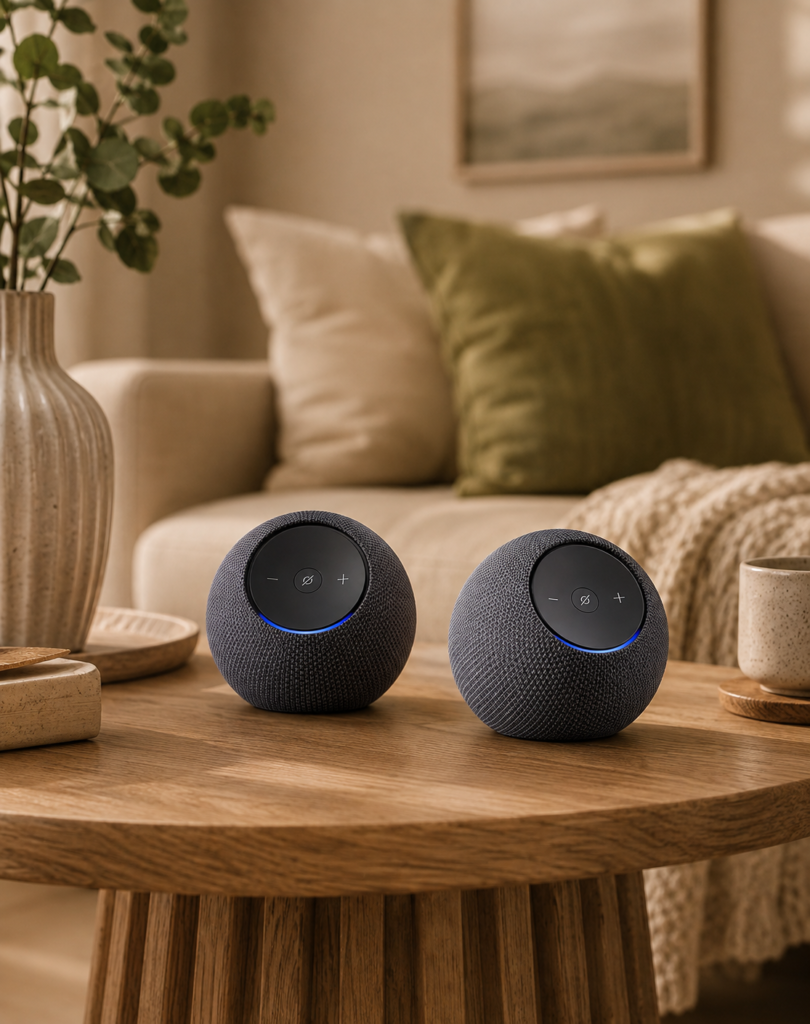
⭐⭐⭐⭐☆ 4.3/5
The Amazon Echo (4th Gen) remains one of the most versatile choices for a smart home.
It combines Alexa voice control with a relatively compact design and capable audio, making it suitable for everything from playing music to controlling compatible lights, plugs, thermostats, and other smart devices.
Why We Like It
- Versatile Alexa voice assistant
- Good sound for its size
- Smart-home hub functionality on supported models
- Useful routines and automations
- Supports multi-room audio
- Attractive spherical design
Best For
Most households looking for a versatile smart speaker.
Consider Before Buying
If you’re already heavily invested in Apple’s or Google’s ecosystem, another speaker may integrate more naturally with your existing devices.
2. Google Nest Audio — Best for Google Users
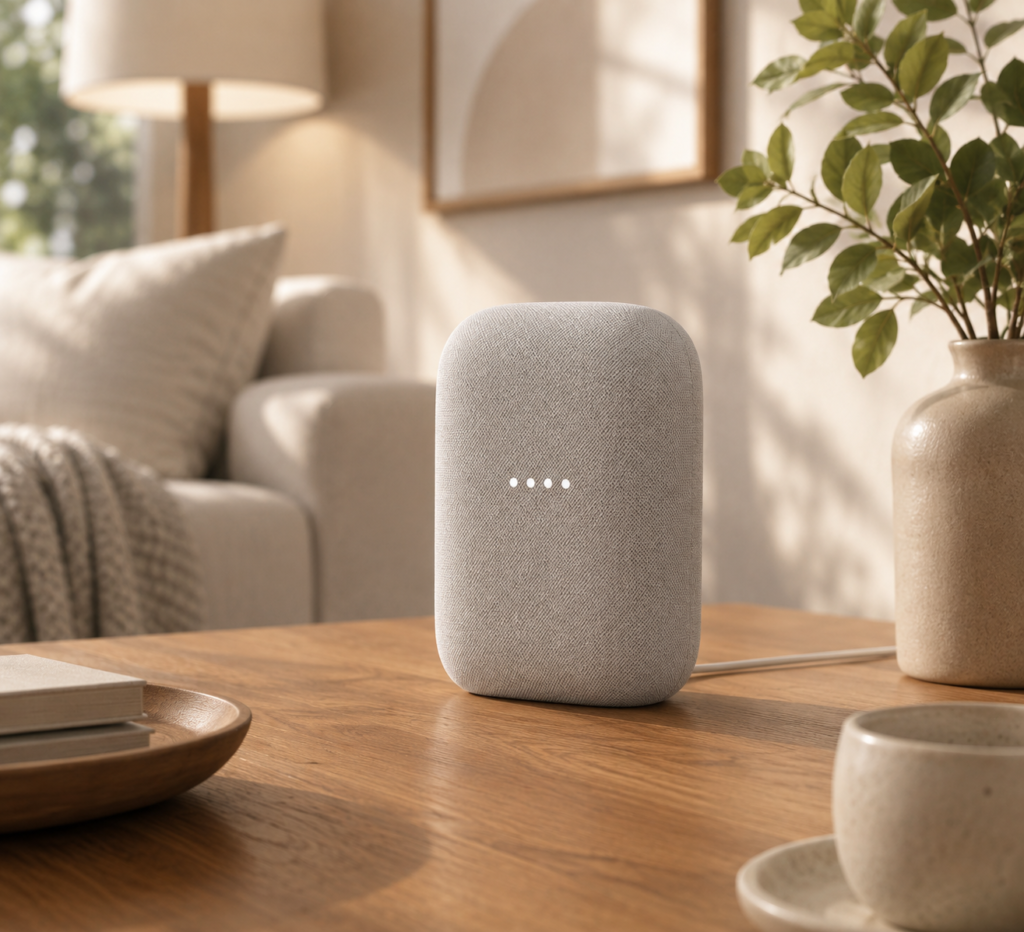
⭐⭐⭐⭐☆ 4.4/5
The Google Nest Audio is a strong choice if you regularly use Google services.
It is particularly useful for people who already rely on Google Calendar, Google Assistant, YouTube Music, or other Google-connected services.
Why We Like It
- Excellent Google ecosystem integration
- Good room-filling sound
- Voice-controlled smart-home features
- Multi-room audio support
- Clean, understated design
Best For
Google users and Android households.
Consider Before Buying
Its biggest advantage comes from being part of the Google ecosystem, so Apple or Alexa users may find another platform more convenient.
3. Apple HomePod (2nd Gen) — Best for Apple Users
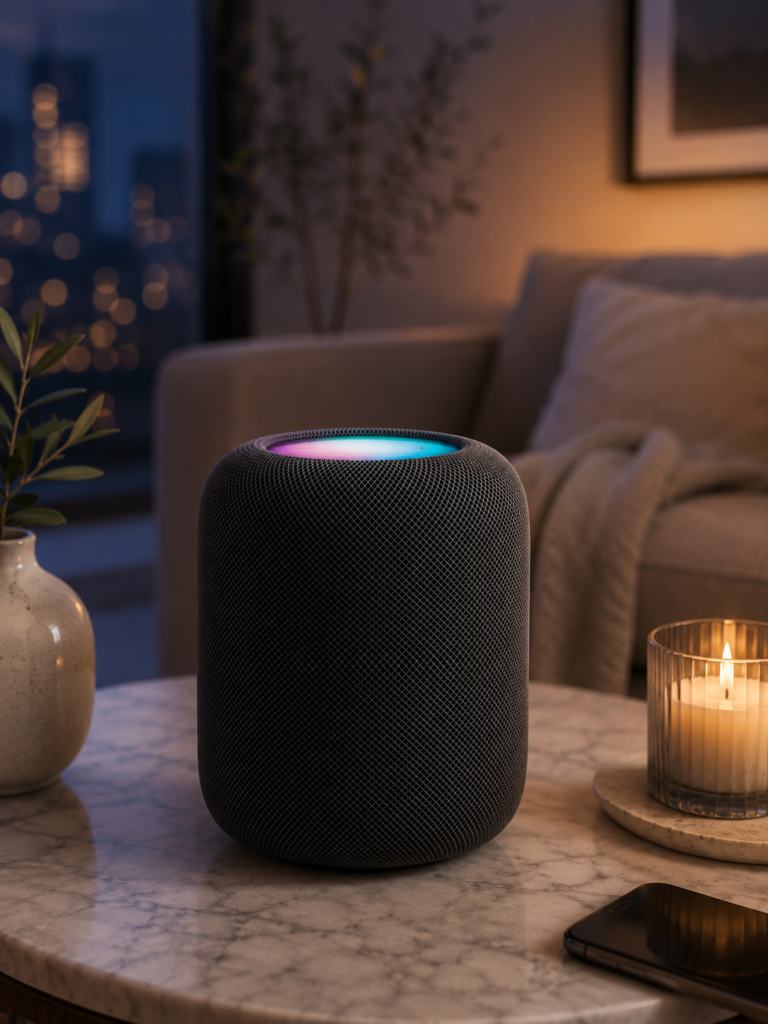
⭐⭐⭐⭐⭐ 5/5
If your home already revolves around Apple devices, the HomePod (2nd generation) is a natural choice.
It is designed to work closely with Apple’s ecosystem and focuses heavily on audio quality and smart-home integration through Apple Home.
Why We Like It
- Excellent sound quality
- Strong Apple ecosystem integration
- Siri voice control
- Smart-home capabilities
- Multi-room audio
- Elegant design
Best For
iPhone, iPad, and Apple-focused households.
Consider Before Buying
The HomePod makes the most sense if you’re already invested in Apple products. It is less flexible for households using multiple competing ecosystems.
4. Sonos Era 100 — Best Sound Quality
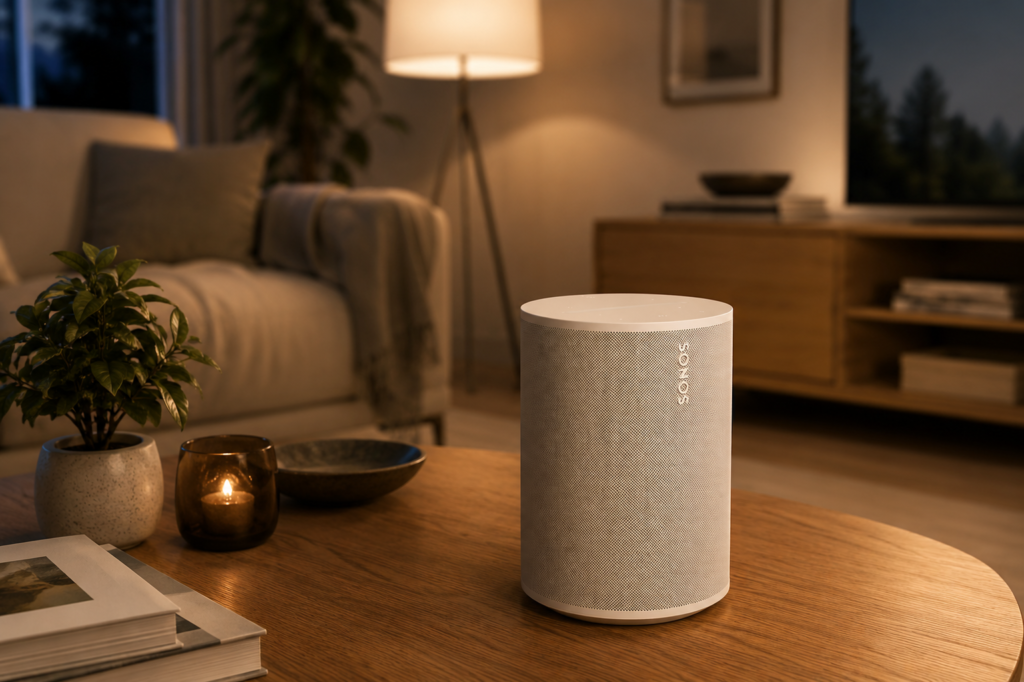
⭐⭐⭐⭐☆ 4.4/5
If music is your priority, the Sonos Era 100 deserves serious consideration.
Sonos has built its reputation around multi-room audio, and the Era 100 combines that experience with smart-speaker functionality.
Why We Like It
- Excellent sound quality
- Strong stereo performance
- Sonos multi-room ecosystem
- Wi-Fi and Bluetooth
- Supports voice control
- Attractive modern design
Best For
Music lovers who want high-quality audio and multi-room capabilities.
Consider Before Buying
Sonos products typically cost more than basic smart speakers, so they are better suited to shoppers who prioritize audio quality.
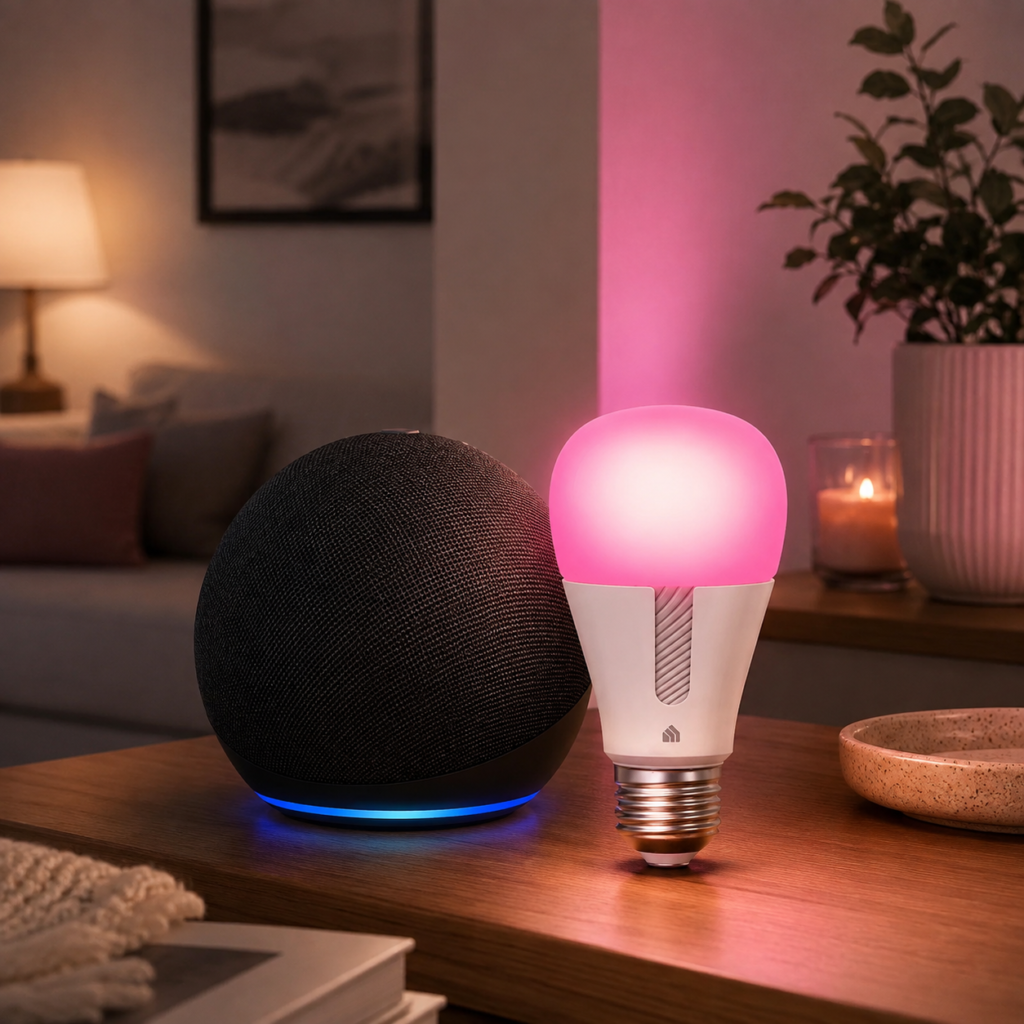
5. Amazon Echo Dot (5th Gen) — Best Budget Option
⭐⭐⭐⭐⭐ 4.8/5
You don’t need to spend hundreds of dollars to add voice control to your home.
The Echo Dot is compact, affordable, and capable of handling many everyday smart-speaker tasks.
Use it to:
- Set alarms
- Create timers
- Play music
- Ask questions
- Control compatible smart devices
- Make announcements
- Build routines
Why We Like It
- Affordable
- Very compact
- Easy to set up
- Good Alexa integration
- Excellent for multiple rooms
Best For
Budget-conscious shoppers and first-time smart-speaker buyers.
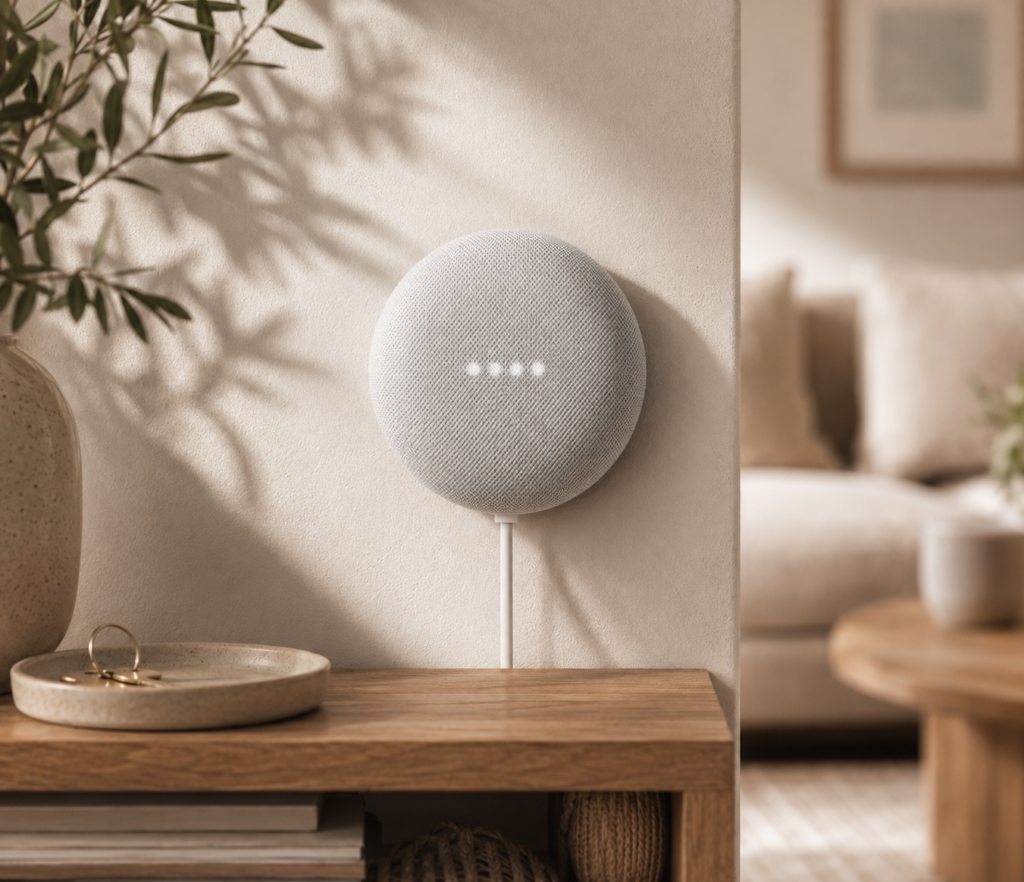
6. Google Nest Mini — Best Compact Google Speaker
⭐⭐⭐⭐☆ 4.3/5
The Google Nest Mini is Google’s answer to the compact smart-speaker category.
Its small footprint makes it particularly convenient for bedside tables, kitchens, desks, and other areas where space is limited.
Why We Like It
- Compact design
- Google Assistant integration
- Affordable
- Good for everyday voice commands
- Easy to place around the home
Best For
Small spaces and Google-focused households.
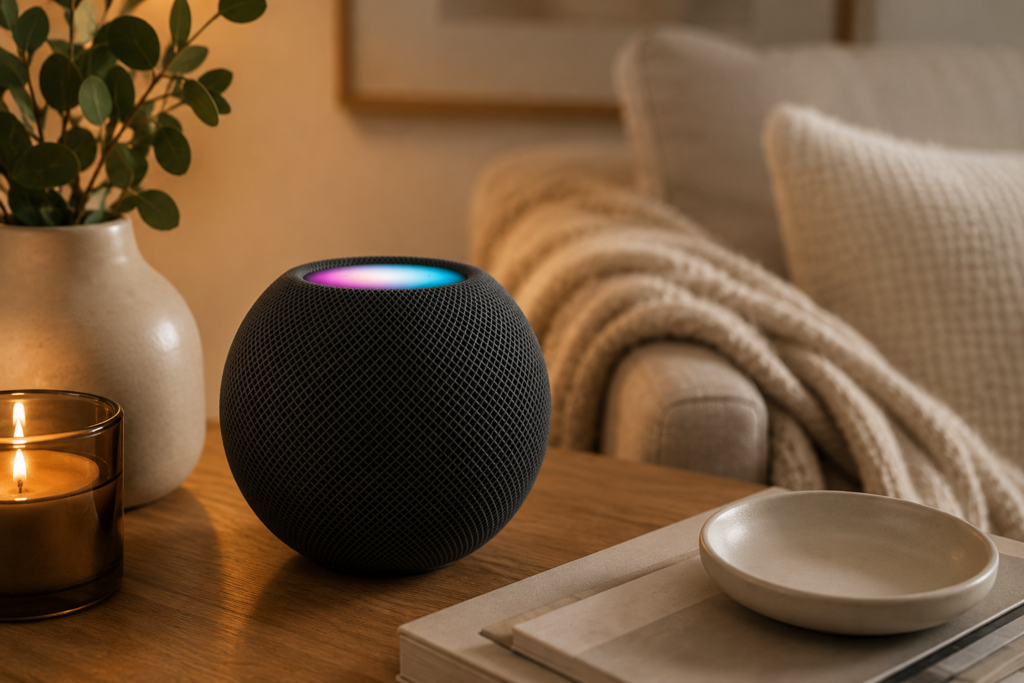
7. Apple HomePod Mini — Best Compact Apple Speaker
⭐⭐⭐⭐☆ 4.3/5
If you like the HomePod ecosystem but don’t need a large speaker, the HomePod Mini offers a smaller alternative.
Its compact design makes it particularly useful for bedrooms, offices, kitchens, and other rooms where a full-size speaker may be unnecessary.
Why We Like It
- Compact
- Excellent Apple integration
- Siri support
- Multi-room audio
- Attractive design
- Useful smart-home control
Best For
Apple users who want smart-home control in smaller rooms.
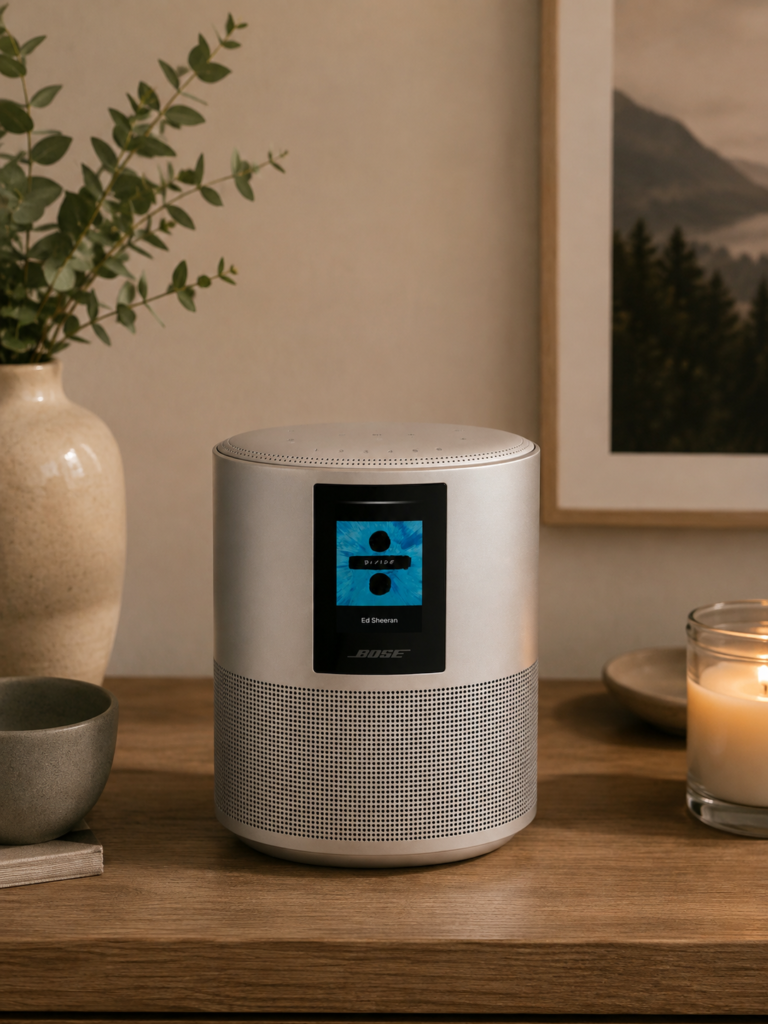
8. Bose Home Speaker 500 — Best Premium Sound
⭐⭐⭐⭐☆ 4.4/5
Bose is well known for audio products, and the Home Speaker 500 is aimed at shoppers who want strong sound alongside voice-assistant functionality.
Its larger design makes it more appropriate for spaces where you want the speaker to function as part of the room’s main audio setup.
Why We Like It
- Powerful audio
- Premium construction
- Voice-assistant support
- Bluetooth and Wi-Fi
- Built-in display
- Good for larger spaces
Best For
People who prioritize sound quality and premium design.
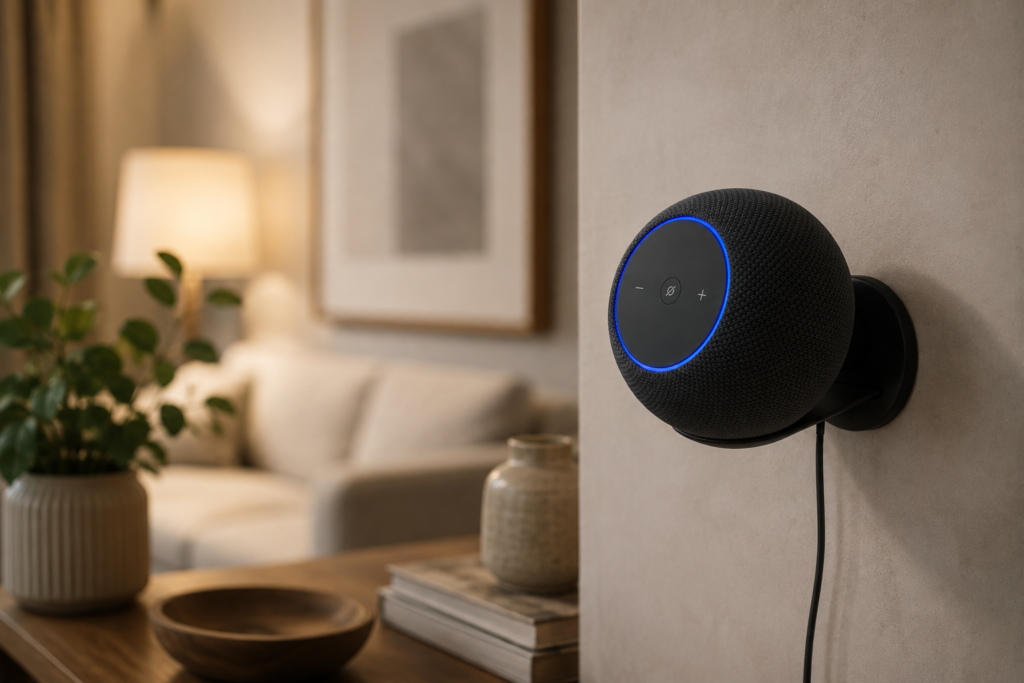
9. Amazon Echo Studio — Best Alexa Speaker for Music
⭐⭐⭐⭐⭐ 5/5
The Echo Studio is designed for people who want to stay within the Alexa ecosystem without settling for the sound quality of a small smart speaker.
Its larger enclosure provides a more substantial audio experience.
Why We Like It
- Powerful sound
- Strong Alexa integration
- Designed for music
- Smart-home compatibility
- Multi-room capabilities
- Suitable for larger rooms
Best For
Alexa users who want better audio performance.
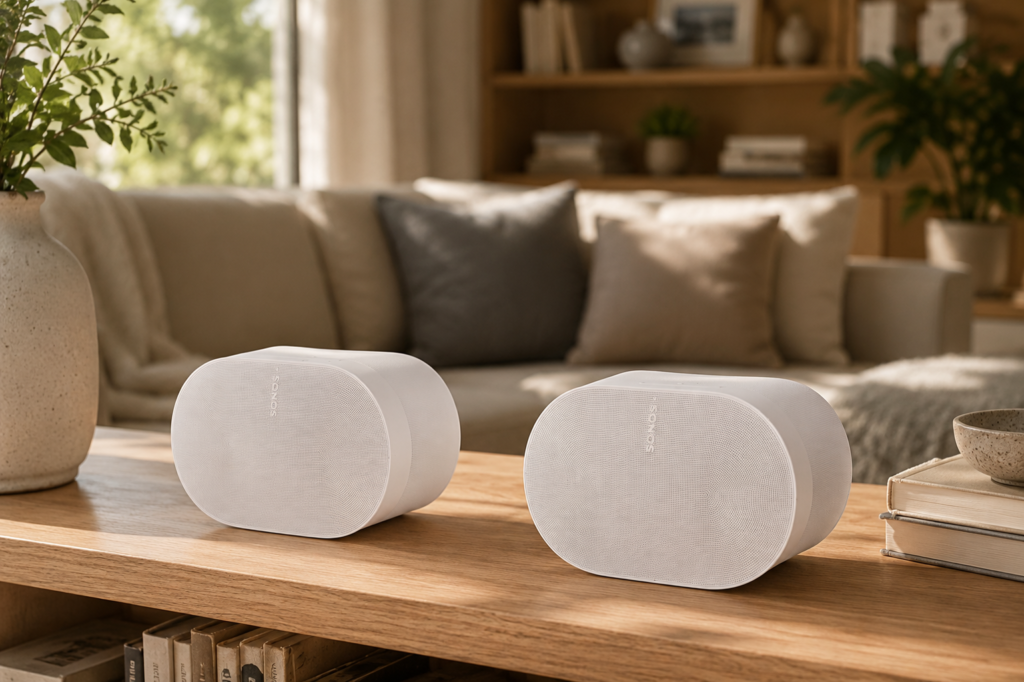
10. Sonos Era 300 — Best Premium Immersive Sound
⭐⭐⭐⭐⭐ 4.6/5
For shoppers who want an immersive listening experience, the Sonos Era 300 sits near the premium end of the smart-speaker market.
Its larger size and advanced audio design make it especially attractive for dedicated music spaces and home entertainment setups.
Why We Like It
- Excellent audio quality
- Immersive sound
- Strong multi-room capabilities
- Wi-Fi and Bluetooth
- Premium design
- Voice-control options
Best For
Audiophiles and premium home entertainment systems.
Consider Before Buying
It’s significantly more expensive than compact smart speakers, so it makes the most sense when audio quality is a top priority.
How to Choose the Best Smart Speaker
Choosing a smart speaker becomes much easier when you focus on the features you’ll actually use.
Step 1: Choose Your Voice Assistant
This is one of the most important decisions.
Amazon Alexa
Choose Alexa if you want:
- A wide range of smart-home compatibility
- Echo devices
- Extensive routines
- Easy voice commands
- Multiple speaker options
Google Assistant
Choose Google’s ecosystem if you frequently use:
- Google Calendar
- Google services
- Android devices
- YouTube
- Google Home products
Apple Siri
Choose Apple if your home already uses:
- iPhone
- iPad
- Apple Watch
- Apple TV
- HomeKit-compatible devices
Sonos
Sonos is particularly appealing if music quality and multi-room audio are your priorities.
Step 2: Decide Where You’ll Use the Speaker
Different rooms have different requirements.
Bedroom
Look for:
- Compact design
- Quiet operation
- Alarm and timer functions
- Good voice recognition
Recommended: Echo Dot or HomePod Mini.
Kitchen
Look for:
- Voice control
- Timers
- Compact footprint
- Easy music control
Recommended: Echo Dot or Nest Mini.
Living Room
Look for:
- Better audio
- Larger soundstage
- Smart-home integration
Recommended: Echo, Nest Audio, or Sonos Era 100.
Home Theater
Look for:
- High-quality audio
- Multi-speaker support
- Immersive sound
Recommended: Sonos Era 300 or Echo Studio.
Step 3: Consider Sound Quality
Not every smart speaker is designed primarily for music.
Compact models are excellent for:
- Podcasts
- Timers
- News
- Voice commands
- Background music
Larger speakers are better for:
- Music listening
- Parties
- Movies
- Filling large rooms
If music is one of your main reasons for buying a smart speaker, prioritize speaker size, driver configuration, stereo performance, and room-filling capability.
Step 4: Check Smart-Home Compatibility
Before purchasing, make a list of the smart devices you already own.
Check whether the speaker works with your:
- Smart lights
- Smart plugs
- Thermostat
- Security devices
- Doorbells
- TVs
- Robot vacuums
- Other connected appliances
Choosing one ecosystem can make your smart home easier to manage.
Step 5: Consider Multi-Room Audio
If you want music throughout your home, look for speakers that support multi-room audio.
For example, you could place:
Speaker 1 → Kitchen
Speaker 2 → Living Room
Speaker 3 → Bedroom
Then use compatible software to play music throughout the home or control individual rooms.
Sonos is particularly well known for multi-room audio, while Amazon, Google, and Apple also offer multi-speaker options within their respective ecosystems.
Step 6: Check Connectivity
Most smart speakers rely primarily on Wi-Fi for their smart functions.
Some models also offer Bluetooth.
Look for:
- Reliable Wi-Fi support
- Bluetooth
- Compatibility with your home’s network
- Additional connectivity options if required
If you’re buying a premium speaker, check exactly which connections are supported before purchasing.
Step 7: Think About Privacy
Smart speakers are designed to listen for a wake word so they can respond to voice commands.
If privacy is important to you, look for:
- Physical microphone controls
- Clear microphone indicators
- Privacy settings
- Options to review or delete voice recordings
It’s worth understanding the privacy controls before placing a smart speaker in bedrooms or other private areas.
Step 8: Consider the Size
A bigger speaker isn’t automatically better for every room.
Compact
Best for:
- Bedrooms
- Offices
- Kitchens
- Small apartments
Medium
Best for:
- Living rooms
- Dining rooms
- Larger bedrooms
Large
Best for:
- Entertainment rooms
- Large living rooms
- Dedicated music spaces
Step 9: Consider Your Budget
Smart speakers are available at several price levels.
Under $50
Best for basic voice control and smaller rooms.
$50–$150
Good balance of smart features and audio quality.
$150–$300
Better audio and more premium construction.
$300+
Designed primarily for shoppers who prioritize premium sound and advanced home audio.
Remember that building a multi-room system can increase the total cost significantly.
How to Set Up a Smart Speaker
Once you choose your speaker, setting it up is usually straightforward.
Step 1: Choose a Location
Place the speaker on a stable surface with enough space around it.
Avoid putting it somewhere where objects could block the microphones or speakers.
Step 2: Connect the Power
Plug the speaker into a suitable power outlet.
Step 3: Install the Manufacturer’s App
Download the relevant app for your speaker ecosystem.
Examples include:
- Alexa app
- Google Home app
- Apple Home app
- Sonos app
Step 4: Connect to Wi-Fi
Follow the setup instructions and connect the speaker to your home network.
Step 5: Sign In
Connect your preferred music services and other compatible accounts.
Step 6: Add Smart-Home Devices
Connect compatible lights, plugs, thermostats, and other devices.
Step 7: Create Routines
This is where smart speakers become particularly useful.
For example:
“Good morning” → Turn on lights + read weather + play news
“Movie time” → Dim lights + turn on TV
“Good night” → Turn off lights + lock compatible devices
Smart Speaker Ideas for Everyday Life
A smart speaker can become much more useful when you integrate it into daily routines.
In the Kitchen
Ask it to:
- Set cooking timers
- Convert measurements
- Create shopping lists
- Play music
- Set reminders
In the Bedroom
Use it to:
- Set alarms
- Play relaxing music
- Control lights
- Check the weather
- Create bedtime routines
In the Living Room
Use it to:
- Play music
- Control smart lights
- Control compatible TVs
- Make announcements
- Manage other smart-home devices
In the Home Office
Use it to:
- Set reminders
- Manage timers
- Add calendar events
- Play background music
- Control lighting
Common Smart Speaker Mistakes to Avoid
Buying the Wrong Ecosystem
Don’t buy an Alexa speaker if your entire smart home is designed around another ecosystem without checking compatibility first.
Prioritizing Features You Won’t Use
A premium speaker isn’t necessarily better if you only need alarms, timers, and occasional music.
Ignoring Room Size
A tiny speaker may struggle to fill a large living room.
Buying Only for Appearance
Make sure the speaker meets your audio and connectivity requirements.
Forgetting Privacy Settings
Review microphone and voice-recording controls after setup.
Building a Mixed Ecosystem Without Checking Compatibility
Different platforms don’t always communicate seamlessly.
Frequently Asked Questions
What is the best smart speaker for most people?
The Amazon Echo (4th Gen) is an excellent all-around choice because it combines useful Alexa features, smart-home control, good sound, and a reasonable size.
Which smart speaker has the best sound quality?
Premium models such as the Sonos Era 100, Sonos Era 300, Apple HomePod, and Bose Home Speaker 500 are better choices if sound quality is your primary concern.
Is Alexa better than Google Assistant?
Neither is universally better. Alexa is particularly strong for smart-home compatibility and routines, while Google can be more convenient for people already invested in Google’s services.
Is Apple HomePod worth it?
The HomePod can be an excellent choice if you already use Apple products and want strong sound quality and Apple Home integration.
Can I use multiple smart speakers together?
Yes. Many ecosystems support multi-room audio and synchronized speaker groups. However, compatibility depends on the brand and specific models.
Do smart speakers need Wi-Fi?
Most smart speakers require Wi-Fi for their full smart features and internet-based voice commands. Some also support Bluetooth for direct audio playback.
Are smart speakers always listening?
Smart speakers generally listen for their wake word so they can respond to commands. Many models include a microphone mute control and privacy settings.
Can smart speakers control smart-home devices?
Yes. Compatible smart speakers can control devices such as lights, plugs, thermostats, cameras, and other connected products.
Final Verdict
The best smart speaker for your home depends on how you plan to use it.
For an excellent balance of smart-home features, voice control, and everyday usability, the Amazon Echo (4th Gen) is a strong all-around choice. Google users may prefer the Nest Audio, while Apple households will get the most value from the HomePod or HomePod Mini.
If music is your highest priority, the Sonos Era 100 or Era 300 offers a more premium audio experience. For shoppers on a budget, the Echo Dot and Nest Mini provide an inexpensive way to start building a smart home.
Before you buy, choose your preferred ecosystem first. Then consider room size, sound quality, smart-home compatibility, connectivity, privacy controls, and budget.
The best smart speaker isn’t necessarily the most expensive one. It’s the one that works naturally with the devices and routines you already use.
Smart Speaker Buying Checklist
- Choose your preferred voice assistant
- Check compatibility with your existing smart-home devices
- Decide which room the speaker will occupy
- Consider the room size
- Compare sound quality
- Check Wi-Fi and Bluetooth connectivity
- Look for multi-room audio if needed
- Review privacy and microphone controls
- Consider the speaker’s physical size
- Set a realistic budget
- Check music-service compatibility
- Consider future smart-home expansion
- Compare warranty and support options
- Check current specifications before purchasing
Bottom Line
A smart speaker should make your home more convenient, connected, and enjoyable—not more complicated. Start with the ecosystem that fits your devices, choose the right size for your room, and spend more only when better audio or advanced features genuinely matter.