
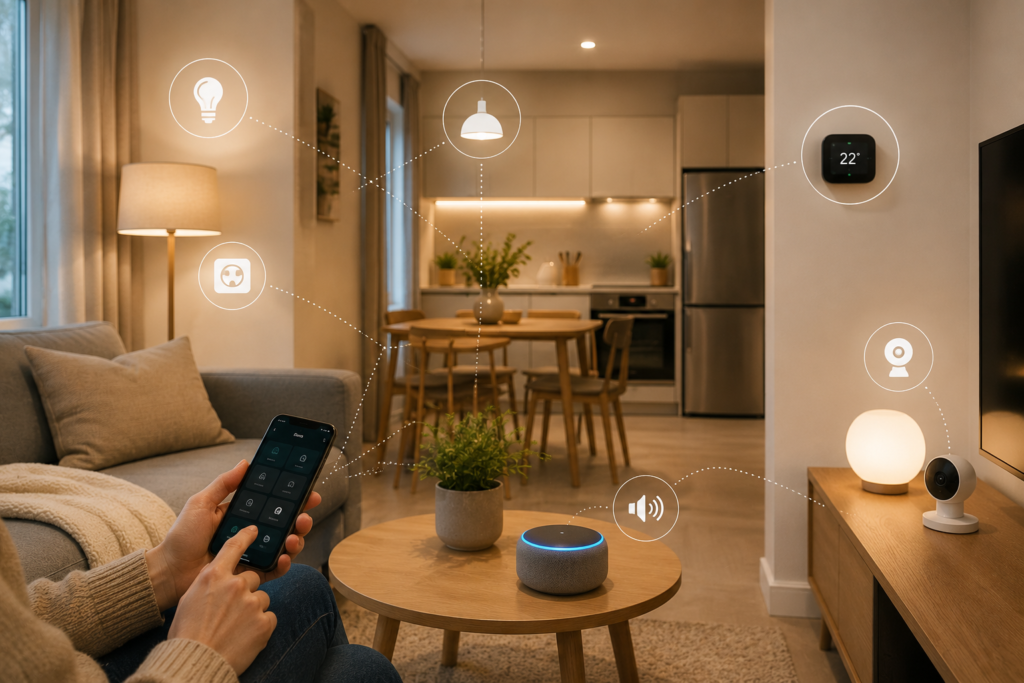
A smarter home doesn’t have to mean an expensive home.
You don’t need a complete home automation system, complicated wiring, or dozens of connected devices to make everyday life easier. In fact, some of the most useful smart-home upgrades can cost surprisingly little.
A smart bulb can let you control your lights from your phone. A smart plug can turn an ordinary appliance into a connected device. A smart speaker can become a central hub for timers, reminders, music, and voice commands.
The secret is knowing which upgrades actually make a difference.
In this guide, we’re sharing seven easy and affordable ways to make your home smarter without overspending. Each idea includes what you need, how to set it up, and what to consider before buying.
Whether you’re completely new to smart-home technology or simply want to upgrade your existing setup, these ideas can help you build a more convenient home one small upgrade at a time.
What Does a Smart Home Actually Mean?
A smart home is simply a home where connected devices can automate or simplify everyday tasks.
Depending on your setup, you might be able to:
- Control lights from your phone
- Turn appliances on or off remotely
- Set automated schedules
- Control devices with your voice
- Monitor your home while you’re away
- Adjust your thermostat
- Create customized routines
The important thing to remember is that you don’t need all of these features.
A good smart home should solve real problems, not create more technology to manage.
1. Start With Smart Bulbs
One of the easiest ways to make your home smarter is to replace a few traditional bulbs with smart bulbs.
You can typically control them through a smartphone app, and some models also work with voice assistants.
Depending on the bulb, you may be able to:
- Turn lights on and off remotely
- Adjust brightness
- Change color temperature
- Create schedules
- Set routines
- Control multiple lights together
Why start with smart bulbs?
They’re relatively simple to install and don’t require you to replace the entire lighting system.
How to set them up:
Step 1: Choose a smart bulb compatible with your existing fixture.
Step 2: Install the bulb like a normal light bulb.
Step 3: Download the manufacturer’s app.
Step 4: Connect the bulb to your Wi-Fi or compatible smart-home system.
Step 5: Give the bulb an easy-to-remember name, such as “Living Room Lamp.”
Step 6: Create a schedule or routine.
Budget tip
You don’t need smart bulbs in every room.
Start with the living room, bedroom, or entryway—areas where automated lighting will actually be useful.
2. Turn Ordinary Appliances Into Smart Appliances
You don’t have to replace every appliance with an expensive smart model.
A smart plug can give many ordinary appliances basic smart functionality.
For example, you can use one with compatible:
- Lamps
- Fans
- Coffee makers
- Holiday lights
- Chargers
- Small appliances
What a smart plug can do
Depending on the model, you may be able to schedule when the connected appliance turns on or off, control it remotely, or include it in an automation routine.
How to use one:
Step 1: Plug the smart plug into your wall outlet.
Step 2: Connect your appliance to the smart plug.
Step 3: Add the plug to its app or smart-home platform.
Step 4: Give it a simple name.
Step 5: Create a schedule or automation.
For example, you could schedule a lamp to turn on shortly before you arrive home.
Important safety note
Always check the smart plug’s electrical rating and make sure the appliance is appropriate for the type of control you’re using. Avoid using smart plugs with appliances that should never operate unattended.
3. Create a Smarter Morning Routine
One of the best things about smart-home technology is automation.
Instead of controlling several devices individually, create a routine that performs multiple actions together.
For example, your morning routine could:
- Turn on selected lights
- Start a compatible coffee setup
- Read the weather
- Play your preferred news briefing
- Remind you about appointments
You don’t need expensive equipment to start.
How to build your first routine:
Step 1: Identify something you do every morning.
Step 2: Choose one or two tasks that can be automated.
Step 3: Connect the compatible devices.
Step 4: Set a trigger, such as a time or voice command.
Step 5: Test the routine and adjust it.
Start simple.
One useful automation is better than ten complicated routines you never use.
4. Add a Smart Speaker
A smart speaker can serve as a convenient control point for compatible smart-home devices.
Beyond playing music, it can potentially help you:
- Set timers
- Create reminders
- Check information
- Control compatible lights
- Control compatible plugs
- Play music
- Create routines
Where should you place it?
Good locations include:
- Kitchen
- Living room
- Bedroom
- Home office
The kitchen is particularly useful because voice controls can be convenient when your hands are busy.
Beginner tip
Don’t buy a smart speaker simply because it has the most features.
Choose one that works with the devices you already own or plan to buy.
5. Automate Your Lighting Schedule
Smart lighting becomes much more useful when you stop thinking about it as individual bulbs and start thinking about routines.
For example, you could create:
Morning
Lights gradually turn on.
Evening
Main lights turn on around sunset.
Bedtime
Bedroom lighting becomes softer.
Away
Selected lights turn off automatically.
This can make your home feel more convenient without requiring you to constantly open an app.
How to create a lighting schedule:
Step 1: Connect your smart bulbs.
Step 2: Group lights by room.
Step 3: Set a schedule based on your routine.
Step 4: Adjust brightness and color temperature where supported.
Step 5: Test the schedule for several days.
Then fine-tune it based on how you actually use the room.
6. Make Your Home Smarter About Energy Use
Smart-home technology can also help you understand and manage how you use electricity.
Depending on the device, smart plugs and energy-monitoring products may provide information about the energy used by connected appliances.
This can help you identify devices that consume more electricity than expected.
A simple approach:
- Identify an appliance you use frequently.
- Connect it to a compatible energy-monitoring device.
- Track its usage.
- Look for unnecessary standby consumption.
- Adjust your habits or schedule where appropriate.
The goal isn’t to turn your home into a science project.
It’s simply to make your energy use more visible so you can make better decisions.
7. Add a Simple Smart Security Upgrade
You don’t need an expensive professional security system to add some connected features to your home.
Depending on your needs, you could start with:
- A smart doorbell
- An indoor camera
- A smart outdoor light
- Door or window sensors
- Motion sensors
These devices can provide notifications or remote monitoring features, depending on the product and your setup.
Start small
Instead of buying several devices at once, identify the area you actually want to monitor.
For example:
Front door → smart doorbell
Living area → indoor camera
Entryway → motion sensor
This keeps your initial investment manageable.
Privacy matters
Before buying a smart camera or connected security device, check:
- Where recordings are stored
- Whether cloud storage is required
- Privacy settings
- Account security
- Two-factor authentication
- Data-sharing policies
Convenience should never come at the expense of basic digital security.
The Best Order to Build a Smart Home
If you’re starting from zero, don’t buy everything at once.
Here’s a simple progression:
Stage 1: Smart Lighting
Start with one or two smart bulbs.
Stage 2: Smart Plugs
Connect useful everyday devices.
Stage 3: Smart Speaker
Add voice control if you want it.
Stage 4: Automation
Connect your devices into routines.
Stage 5: Security
Add cameras, sensors, or a smart doorbell based on your needs.
This approach allows you to learn how your smart-home ecosystem works before spending more money.
How Much Does a Smart Home Cost?
The answer depends on how many devices you want and which ecosystem you choose.
But you can start very small.
Budget setup
1–2 smart bulbs + 1 smart plug
Good for beginners who simply want basic automation.
Mid-range setup
Smart bulbs + smart plugs + smart speaker + basic sensors
This gives you more automation and voice-control possibilities.
Advanced setup
Lighting + plugs + sensors + cameras + smart thermostat + automated routines
This can become significantly more expensive, so it’s best to build it gradually.
The important thing is that you don’t need the advanced setup to enjoy the benefits of a smart home.
How to Choose Smart Home Devices
Before buying a device, ask these five questions:
1. Will I actually use it?
Technology isn’t automatically useful just because it’s smart.
2. Does it work with my ecosystem?
Compatibility can save you frustration later.
3. Does it require a hub?
Some devices connect directly to Wi-Fi, while others may require an additional hub or bridge.
4. Does it require a subscription?
Some products offer optional or required subscription services.
5. What happens if the internet goes down?
Understand which features continue to work locally and which require an internet connection.
Smart Home Shopping Checklist
| Product | Best Use | Beginner Friendly? |
|---|---|---|
| Smart bulb | Lighting automation | Yes |
| Smart plug | Automating appliances | Yes |
| Smart speaker | Voice control | Yes |
| Motion sensor | Automation | Yes |
| Door sensor | Basic monitoring | Yes |
| Smart doorbell | Front-door monitoring | Moderate |
| Indoor camera | Home monitoring | Moderate |
| Smart thermostat | Climate control | Moderate |
| Energy monitor | Tracking electricity use | Moderate |
Common Smart Home Mistakes to Avoid
Buying Too Many Devices
It’s tempting to buy everything at once.
Better: Start with one useful problem and solve it.
Ignoring Compatibility
Different products may not work together seamlessly.
Better: Choose a compatible ecosystem before building your setup.
Forgetting About Subscriptions
Some smart devices offer basic features for free but charge for advanced services.
Better: Check the ongoing cost before buying.
Using Weak Passwords
Smart devices are connected to your home network.
Better: Use strong, unique passwords and enable two-factor authentication where available.
Automating Everything
Too much automation can become annoying.
Better: Automate repetitive tasks that genuinely save time.
Frequently Asked Questions
What is the cheapest way to make a home smart?
Smart bulbs and smart plugs are usually among the easiest entry points. They can add automation and remote control without requiring you to replace existing appliances.
Can I make my home smart without replacing my appliances?
Yes. Compatible smart plugs can add basic connected features to some ordinary appliances.
Do I need Wi-Fi for a smart home?
Many smart-home devices use Wi-Fi, but some use other wireless technologies or require a hub. Check the requirements of each product before purchasing.
Do all smart-home devices work together?
No. Compatibility varies between brands, ecosystems, and communication standards. Check compatibility before building your setup.
Is a smart speaker necessary?
No. A smart speaker is convenient for voice control and routines, but you can use many smart devices directly through their apps.
Are smart-home devices worth buying?
They can be, especially when they solve a specific problem. The best smart-home purchases are devices you will use regularly rather than gadgets purchased simply because they are new.
Can a smart home save money?
Some smart devices may help you manage energy use more efficiently, but savings depend on the device, your existing equipment, usage patterns, and electricity rates.
Final Verdict
Making your home smarter doesn’t require a huge budget or a complicated automation system.
The smartest approach is to start small and build around your actual routine.
Begin with a smart bulb or smart plug. Add a speaker if voice control appeals to you. Once you’re comfortable, connect your devices into simple routines that eliminate repetitive tasks.
From there, you can gradually explore energy monitoring, sensors, and smart security.
The goal isn’t to fill your home with technology.
It’s to make everyday life a little easier.
Start with one problem, choose one useful device, and build from there.
That’s how to create a smart home that is genuinely helpful—without breaking the bank.