
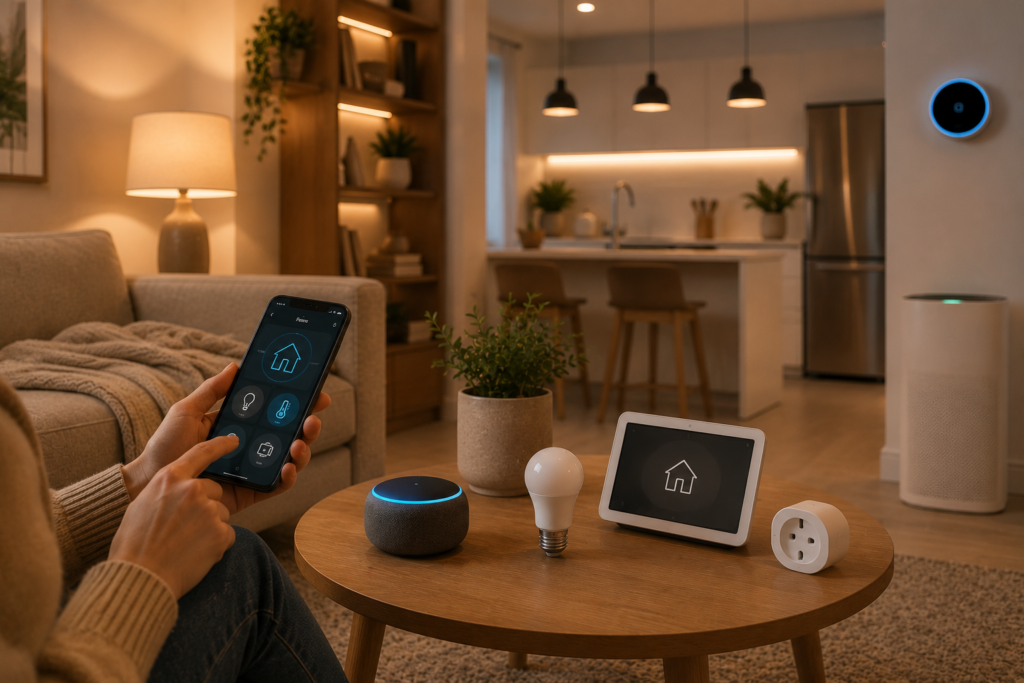
Smart-home technology can make everyday life easier, but getting started can feel surprisingly complicated.
There are smart bulbs, plugs, speakers, cameras, sensors, locks, thermostats, hubs, apps, and countless compatibility options. With so many choices available, it’s easy to spend too much money on devices you don’t really need.
The good news?
You don’t need to automate your entire home at once.
The best smart home is one that solves real problems in your daily routine.
Maybe you want your lights to turn on automatically in the evening. Perhaps you want to control a lamp from your phone, receive an alert when a door opens, or create a simple morning routine.
Whatever your goal, starting small is usually the smartest approach.
In this beginner’s guide, we’ll explain how to start a smart home, which devices to consider first, how to choose a smart-home ecosystem, and how to build useful automations without turning your home into a complicated technology project.
What Is a Smart Home?
A smart home is a home where connected devices can be controlled, monitored, or automated.
Instead of manually operating every device, you can use:
- Smartphone apps
- Voice commands
- Schedules
- Sensors
- Automated routines
- Smart-home platforms
For example, instead of walking around the house turning off lights before bed, you could create a routine that turns selected lights off with one command.
Or you could schedule your bedroom lights to turn on gradually in the morning.
The technology isn’t the goal.
Convenience is the goal.
Should You Automate Your Entire Home?
No.
This is one of the biggest mistakes beginners make.
You don’t need smart devices in every room.
Instead, think about the tasks you repeat every day.
Ask yourself:
- What do I do repeatedly?
- What do I often forget?
- What would be easier if it happened automatically?
- Which devices do I use every day?
These answers will help you decide where automation actually makes sense.
Step 1: Decide What You Want Your Smart Home to Do
Before buying anything, choose your first goal.
For example:
Goal 1: Smarter Lighting
You want to control lights from your phone or automatically turn them on and off.
Goal 2: Easier Daily Routines
You want several actions to happen together.
Goal 3: Better Home Security
You want alerts when someone approaches your door or when a door opens.
Goal 4: Energy Awareness
You want to monitor or automate certain devices.
Goal 5: Voice Control
You want to control compatible devices without using your phone.
Start with one goal.
Once you’ve successfully automated it, you can expand.
Step 2: Choose Your Smart-Home Ecosystem
This is one of the most important decisions you’ll make.
Your smart-home ecosystem is essentially the platform that helps your compatible devices work together.
Depending on the devices you choose, you may encounter ecosystems such as:
- Amazon Alexa
- Google Home
- Apple Home
- Samsung SmartThings
- Other manufacturer-specific platforms
You don’t necessarily have to choose based on brand popularity.
Instead, think about the devices you already own and the products you plan to buy.
Before choosing an ecosystem, ask:
Does it support the devices I want?
Does it work with my phone?
Does it support the automations I need?
Will it still work if I add more devices later?
Does it require additional hubs?
Choosing compatibility early can save you from replacing devices later.
Step 3: Start With Smart Bulbs
For many beginners, smart bulbs are one of the easiest places to start.
You install the bulb, connect it to the appropriate app or platform, and gain additional control over your lighting.
Depending on the model, you may be able to:
- Turn lights on and off remotely
- Adjust brightness
- Change color temperature
- Create schedules
- Create routines
- Control multiple lights together
Best rooms to start with:
- Living room
- Bedroom
- Entryway
- Home office
You don’t need to replace every bulb.
Start with one or two.
Beginner setup:
Step 1: Choose a compatible smart bulb.
Step 2: Install it in an existing fixture.
Step 3: Download the required app.
Step 4: Connect the bulb.
Step 5: Give it a simple name.
Step 6: Create your first schedule.
For example:
Living Room Light → Turn on at 6:30 PM.
That’s already a useful automation.
Step 4: Add a Smart Plug
A smart plug is another excellent beginner device.
It can add basic smart functionality to compatible ordinary appliances.
You might use one with:
- Lamps
- Fans
- Some coffee makers
- Decorative lights
- Certain small appliances
Why smart plugs are useful
They allow you to experiment with automation without replacing the appliance itself.
How to set one up:
1. Plug it into the wall.
2. Connect your appliance.
3. Add the plug to the manufacturer’s app.
4. Give it a clear name.
5. Create a schedule or routine.
For example:
Bedroom Lamp → Turn off automatically at bedtime.
Always check the smart plug’s electrical rating and the manufacturer’s guidance before connecting an appliance.
Step 5: Add a Smart Speaker If You Want Voice Control
A smart speaker can make a smart home easier to control.
Instead of opening an app, you may be able to use voice commands for compatible devices.
For example:
“Turn off the living room lights.”
Or:
“Turn on the bedroom lamp.”
You can also use a compatible smart speaker for things like:
- Timers
- Reminders
- Music
- Weather information
- Routines
- Voice-controlled devices
Where should you put it?
Good locations include:
- Kitchen
- Living room
- Bedroom
- Home office
The kitchen is particularly useful because your hands may be busy while cooking.
Step 6: Learn the Difference Between Devices, Hubs, and Platforms
This can be confusing when you’re starting.
Smart Device
A product that performs a function.
Examples:
- Smart bulb
- Smart plug
- Smart lock
- Smart camera
Smart-Home Platform
The software ecosystem used to control compatible devices.
Examples include:
- Google Home
- Apple Home
- Alexa
Smart Hub
Some devices use a dedicated hub or bridge to communicate with your network or other devices.
Not every smart-home setup requires one.
Why does this matter?
Because you should understand what you’re buying before you start building your system.
A device that requires a hub may have different setup costs from a device that connects directly.
Step 7: Create Your First Automation
Once you have two or more compatible devices, it’s time to create your first routine.
Keep it simple.
Example: Good Night Routine
One command could:
- Turn off living room lights
- Turn off selected lamps
- Lock a compatible smart lock
- Turn on a hallway light
Example: Morning Routine
Your routine could:
- Turn on selected lights
- Start a compatible device
- Give you reminders
- Play music
How to create your first routine:
Step 1: Choose a routine you already perform.
Step 2: Identify which parts can be automated.
Step 3: Connect your compatible devices.
Step 4: Choose a trigger.
Step 5: Add the actions.
Step 6: Test the routine.
Step 7: Adjust it based on your experience.
Don’t automate everything immediately.
Start with one routine that genuinely saves time.
Step 8: Add Smart Security
Once you’ve become comfortable with basic automation, you can add smart security devices.
Popular options include:
- Smart video doorbells
- Security cameras
- Door and window sensors
- Motion sensors
- Smart locks
- Smart outdoor lighting
You can read our detailed guide:
How to Make Your Home Safer With Smart Security Devices
The goal isn’t to install every security device available.
Instead, identify the areas that need monitoring and build around them.
Step 9: Think About Energy Management
Smart-home technology can also help you understand and manage energy use.
Depending on the device, you may be able to:
- Schedule appliances
- Turn devices off remotely
- Monitor energy consumption
- Reduce unnecessary standby usage
- Automate lighting
Smart plugs with energy-monitoring features can be useful for learning which connected appliances consume more electricity.
However, remember that actual savings depend on your appliances, electricity rates, usage habits, and how you use the devices.
Step 10: Protect Your Smart Home
A smart home is connected to your digital life, so cybersecurity should be part of your setup from the beginning.
Use strong passwords
Avoid using the same password across multiple accounts.
Enable two-factor authentication
Turn it on whenever the manufacturer or platform supports it.
Keep devices updated
Install appropriate firmware and app updates.
Secure your Wi-Fi
Use a strong Wi-Fi password and current security settings supported by your router.
Review connected devices
Remove devices and accounts you no longer use.
Check privacy settings
Understand what information your devices collect and where it is stored.
Smart technology should make your home more convenient—not create unnecessary digital risks.
The Best Smart Home Setup for Beginners
If you’re completely new to home automation, you don’t need a huge collection of devices.
Here’s a simple starting setup:
Starter Setup
1–2 Smart Bulbs
For automated lighting.
1 Smart Plug
For experimenting with appliance automation.
1 Smart Speaker
For voice control, if desired.
1 Smart-Home Platform
To manage compatible devices.
This small setup is enough to teach you the fundamentals of smart-home automation.
Beginner Smart Home Setup: Room by Room
You can also build your system based on the rooms you use most.
Living Room
Start with:
- Smart bulbs
- Smart plug
- Smart speaker
Possible automation:
Movie Night → Dim the lights.
Bedroom
Try:
- Smart bulb
- Smart plug
- Motion sensor
Possible automation:
Bedtime → Turn off selected lights.
Kitchen
Consider:
- Smart speaker
- Smart lighting
- Compatible smart plug
Possible automation:
Morning → Turn on kitchen lighting and provide reminders.
Entryway
Consider:
- Smart doorbell
- Smart light
- Door sensor
Possible automation:
Arrival → Turn on entry lighting.
How Much Does a Beginner Smart Home Cost?
You can build a useful setup without spending a huge amount.
Budget Starter
- 1–2 smart bulbs
- 1 smart plug
Comfortable Starter
- Smart bulbs
- Smart plugs
- Smart speaker
- Basic sensor
Expanded Setup
- Lighting
- Plugs
- Speaker
- Sensors
- Security devices
Your budget should be based on the problems you want to solve—not the number of devices you can buy.
Smart Home Shopping Checklist
Before buying any smart-home product, check:
| Question | Why It Matters |
|---|---|
| Is it compatible? | Prevents ecosystem problems |
| Does it need a hub? | May increase setup cost |
| Does it require a subscription? | Adds ongoing costs |
| Does it work with my phone? | Simplifies control |
| Does it support automation? | Enables routines |
| What happens without Wi-Fi? | Helps you understand limitations |
| How are updates handled? | Important for security |
| How is data stored? | Important for privacy |
Common Smart Home Mistakes Beginners Make
Buying Everything at Once
It’s easy to get excited and purchase several devices.
Better: Start with one room or one problem.
Ignoring Compatibility
A cheap device isn’t a bargain if it doesn’t work with your ecosystem.
Better: Check compatibility before purchasing.
Choosing Features Instead of Usefulness
A device may have dozens of features you never use.
Better: Focus on the features that solve your specific problem.
Forgetting Ongoing Costs
Some products require subscriptions.
Better: Calculate the total cost of ownership.
Making Automations Too Complicated
Complex routines can become difficult to troubleshoot.
Better: Build simple routines first.
A Simple 30-Day Smart Home Plan
You don’t need to build your smart home in one weekend.
Week 1: Plan
Identify the problems you want to solve.
Choose your ecosystem.
Week 2: Start Small
Install one or two smart devices.
Learn how the apps and controls work.
Week 3: Automate
Create your first routine.
Test it for several days.
Week 4: Expand
Add another device only if it solves a genuine problem.
This gradual approach helps you avoid unnecessary purchases.
How We Chose These Beginner Smart Home Ideas
We focused on practical upgrades that are easy to understand and useful in everyday life.
Our recommendations prioritize:
- Beginner-friendly setup
- Practical functionality
- Flexible budgets
- Compatibility
- Simple automation
- Scalability
- Privacy and security
- Long-term usefulness
The objective isn’t to create the most technologically advanced home.
It’s to create a home that works better for you.
Frequently Asked Questions
What should I buy first for a smart home?
Smart bulbs and smart plugs are excellent starting points because they are relatively simple and allow you to learn the basics of connected-home technology.
Do I need a smart hub?
Not always. Some devices connect directly to your network or smart-home platform, while others require a hub or bridge. Check the requirements before buying.
Can I build a smart home slowly?
Yes. In fact, building gradually is often the best approach for beginners. Start with one problem, solve it, and expand from there.
Is a smart speaker necessary?
No. A smart speaker is optional. It can make voice control and routines more convenient, but many devices can be controlled through smartphone apps.
Do smart-home devices work without internet?
It depends on the device and platform. Some functions may continue locally, while others require an internet connection. Check the manufacturer’s specifications before purchasing.
Are smart-home devices difficult to install?
Many beginner devices, such as smart bulbs and plugs, are designed for relatively simple installation. More complex products, such as hardwired smart switches or locks, may require additional expertise.
How do I keep my smart home secure?
Use strong unique passwords, enable two-factor authentication, keep devices updated, secure your Wi-Fi network, and regularly review connected accounts and devices.
How many smart devices do I need?
There is no ideal number. Start with the smallest number of devices that solves your problem. A few useful devices are better than dozens that you rarely use.
Final Verdict
Starting a smart home doesn’t have to be complicated.
You don’t need to automate every room, replace all your appliances, or spend a large amount of money.
Start with one problem.
Maybe it’s controlling your lights. Maybe it’s automating a lamp. Maybe it’s creating a simple morning routine.
Choose one compatible device, learn how it works, and then build from there.
As you become more comfortable, you can add sensors, security devices, smart locks, lighting routines, and other automation features.
The smartest strategy is simple:
Start small. Choose compatible devices. Automate useful tasks. Expand only when you need to.
That’s how you can build a smart home that feels helpful rather than overwhelming.